Features›Tire Search
Tire Search
Search your connected inventory by size, brand, or type — all by voice. Results show real-time pricing and availability so you can quote customers on the spot.
Voice Enabled
Ways to Search
By Size
The most common way to search. Just say the tire size and Tuty pulls matching inventory.
“Search 225/65R17”
By Brand
Looking for a specific manufacturer? Add the brand name to narrow results.
“Show me Michelin tires”
By Type
Search by category — all-season, winter, performance, or all-terrain.
“Find all-season tires for a RAV4”
Search Results
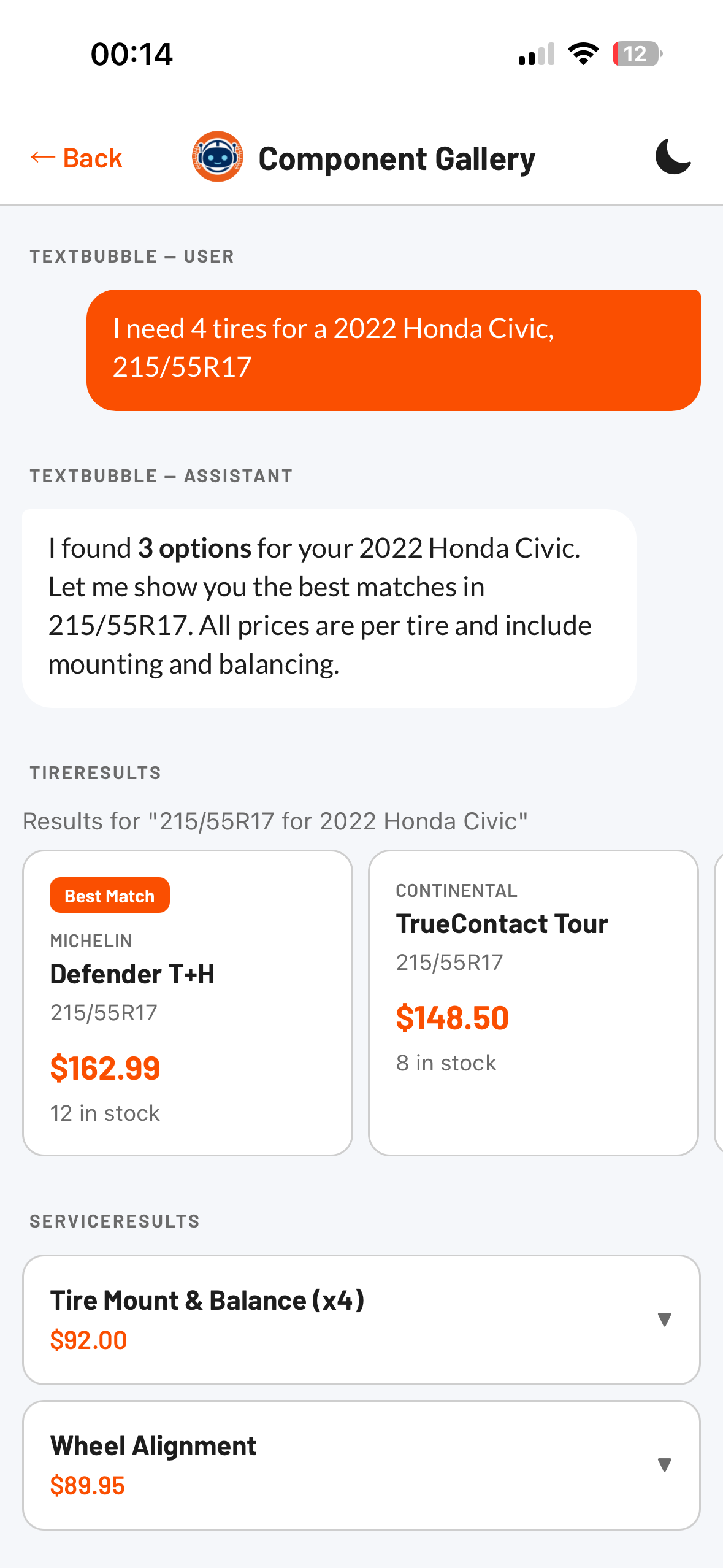
Results appear as cards in the chat showing brand, model, size, price, and availability. You can add tires directly to the current work order from the results.
Adding Tires to a Work Order
Once you see the tires you want, just tell Tuty to add them. You can specify quantity or Tuty will default to a set of four.
“Add those tires to the work order”
“Add four of the Michelin Defenders”
“Put two of those on the work order”
ℹ️
Inventory is live. Tuty pulls from your connected TireTutor inventory in real time, so pricing and stock levels are always current.